CapCRM
active
GPL-3.0-or-later
CAP-REL
Latest stable version announced:
v1.0.2,
on March 25, 2024
A Dolibarr customer's whole sales relationship on a single page, plus the tools to prospect: prospecting view, kanban campaigns, per-salesperson pipeline and follow-up alerts.
Overview
In Dolibarr, getting to know a customer means opening a dozen screens: the third party card, contacts, quotes, orders, invoices, contracts, agenda, tickets... CapCRM brings all of it together on a single page and adds what Dolibarr lacks for prospecting: step-based campaigns, a pipeline per salesperson and follow-up alerts.
The module is meant for sales teams and managers of small and medium businesses who already use Dolibarr for their quotes and invoices, and want to follow their customers and prospects without switching tools.
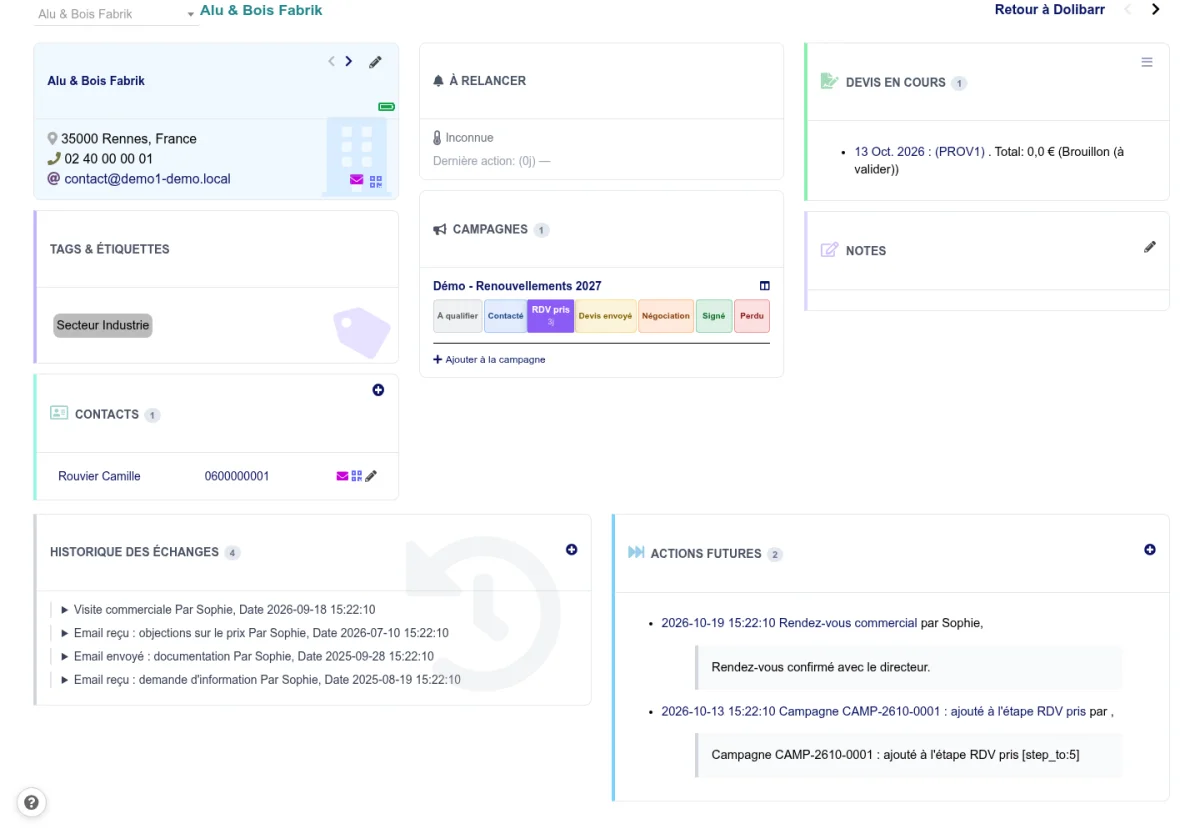
The customer on a single page
Each third party gets a dashboard made of boxes that every user can show, hide and reorder by drag and drop:
- Contact details and contacts: address, phone, email, one-click call, emails sent without leaving the page, QR code to call from a phone.
- Sales activity: open quotes, orders to check, contracts and subscriptions, projects, unpaid invoices.
- Revenue: yearly chart, sales history by product category, indirect sales through resellers.
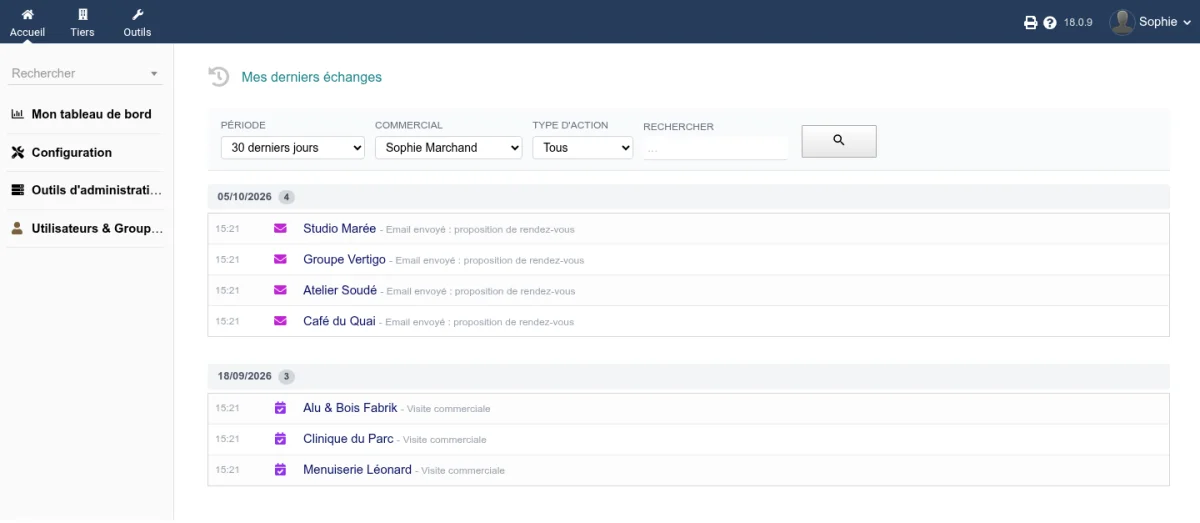
- Exchanges: history of calls, emails and meetings, planned actions, private notes.
- Support: open tickets and ongoing interventions, with the remaining prepaid time.
An option makes this page the default card: every click on a third party in Dolibarr opens CapCRM.
Prospecting
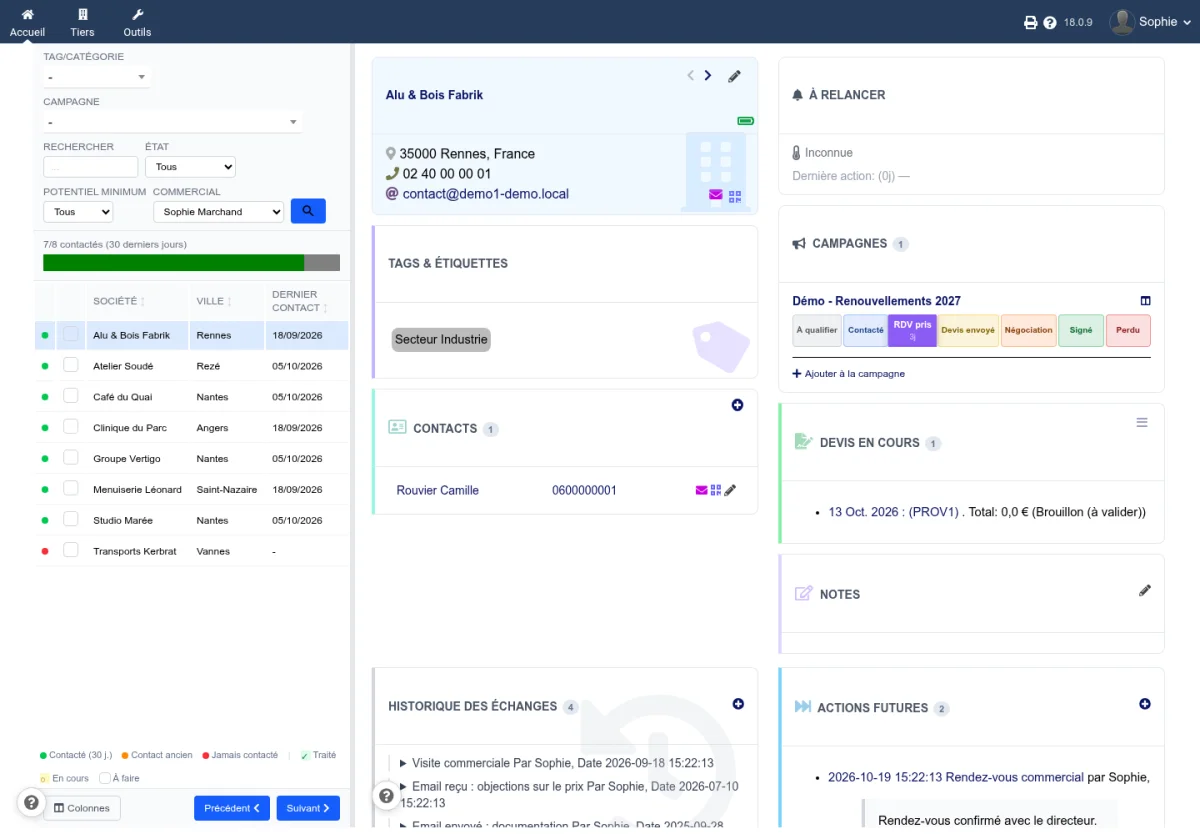
- Prospecting view: the list of third parties on the left, filtered by category, campaign, potential or salesperson, and the full card of the selected one on the right. Move from one prospect to the next without reloading the page.
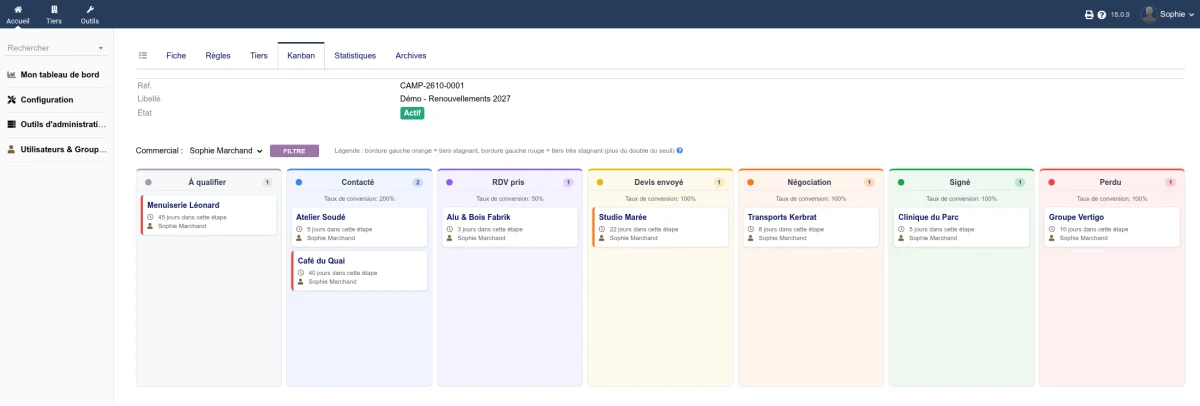
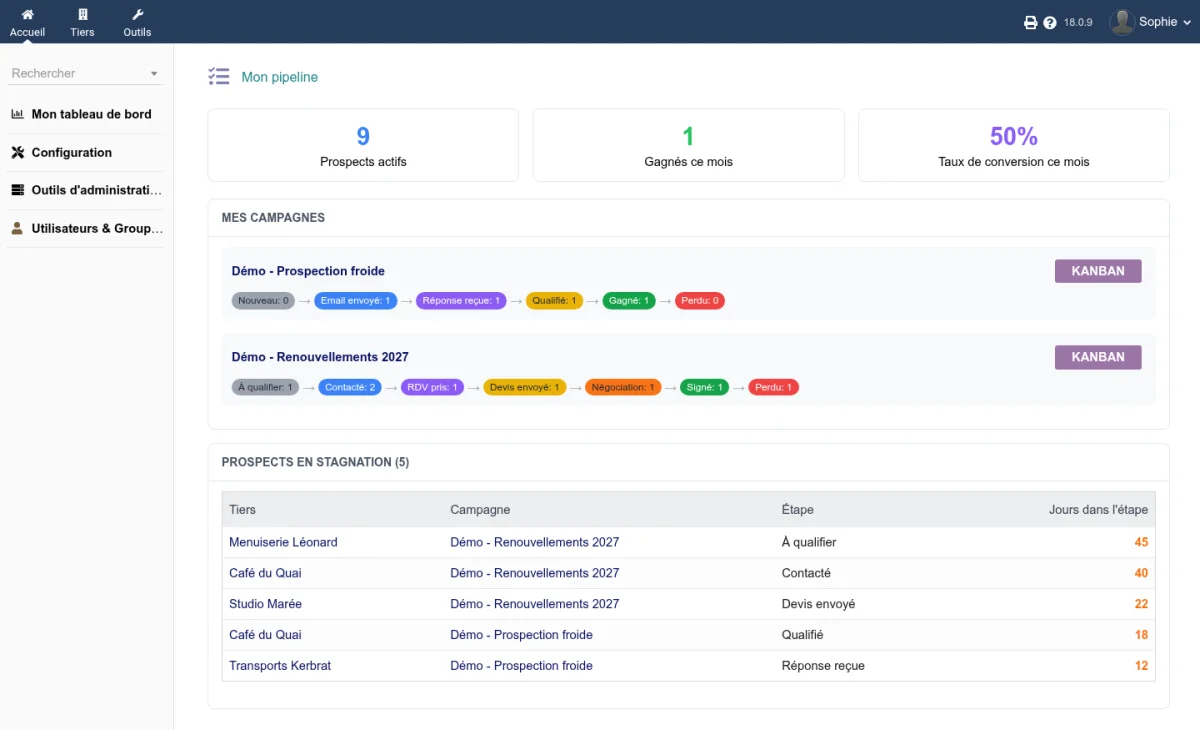
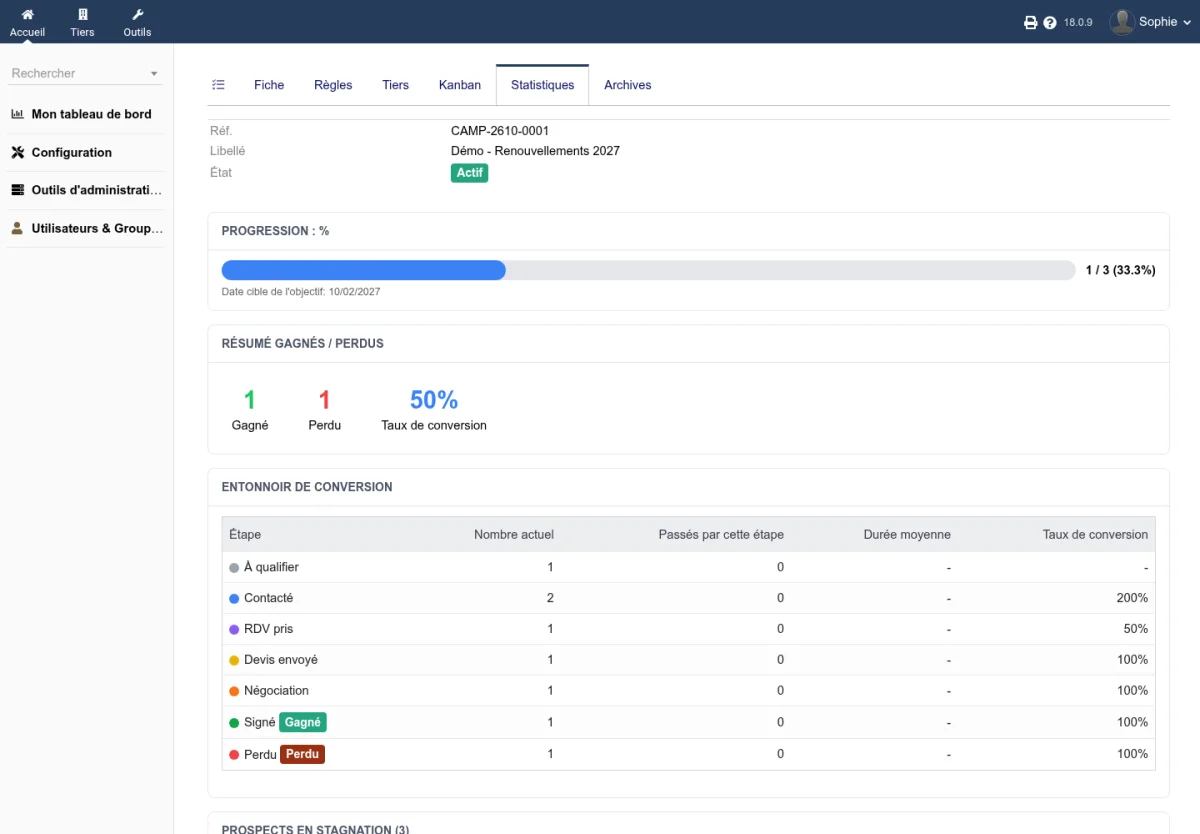
- Prospecting campaigns: each campaign has its steps, a goal, a target date and a kanban. Prospects stuck too long in a step are flagged, and rules can move them forward automatically when their status changes in Dolibarr. Loss reasons, scoring, conversion statistics and CSV export complete the follow-up.
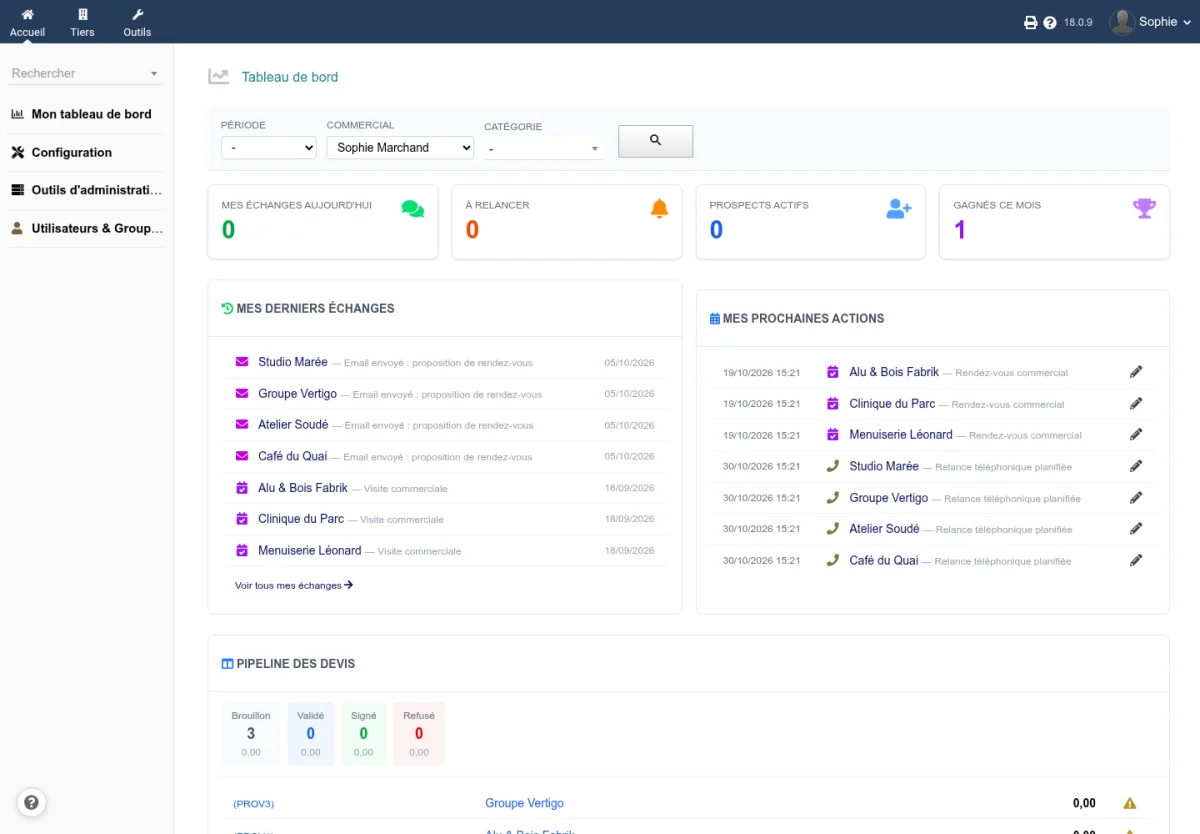
- Personal pipeline: every salesperson finds their campaigns, hot prospects, wins of the month and the prospects to follow up.
- Sales dashboard: latest exchanges, next actions, quote pipeline, filters by period, salesperson and category.
Never forget a follow-up
Active follow-up applies rules based on the kind and direction of the last exchange (unanswered email, call with no reply, quote sent...), flags customers who are cooling down and reminds you when to get back to them.
Integrations
CapCRM shows the tasks of CapTodo, calls through the CapCall telephony gateway and displays sales made by resellers with the CAP-REL indirect sales module, when these modules are installed. With CapMail, the emails exchanged with a third party appear on its card, and a Campaigns tab in the CapMail inbox lets you add the sender of an email to a prospecting campaign. Dolibarr extra fields can be displayed in each box.
Languages
Interface available in French, English, German, Spanish, Italian, Dutch, Polish and Brazilian Portuguese.
Try it
A demonstration filled with fictitious data opens in a few seconds at dolitest.fr/capcrm.
Sheet translations:
Deutsch, English, Español