UptoSign 2.5.1: signer reminders, multi-page signing, and signature page
A UptoSign account is required. This module is the connector between Dolibarr and the UptoSign signature service: to sign or seal a document, a UptoSign account on uptosign.com is MANDATORY. This account is separate from the module purchase, and a free demonstration server allows you to try before subscribing.
Remind signers
A customer who is slow to sign can now be reminded from Dolibarr: the button "Remind signers", on the document card as well as on the procedure card, resends the invitation to those who have not yet signed, and to them only. To avoid having to think about it, a setting automatically reminds every 2, 3, or 7 days, up to three times.
One signature per page
A contract to initial on each page? As soon as a signature field is placed on the preview, a copy appears in the left column: you change the page and drop it. The signer signs only once, and their signature is affixed to each location.
A signature page at the end of the document
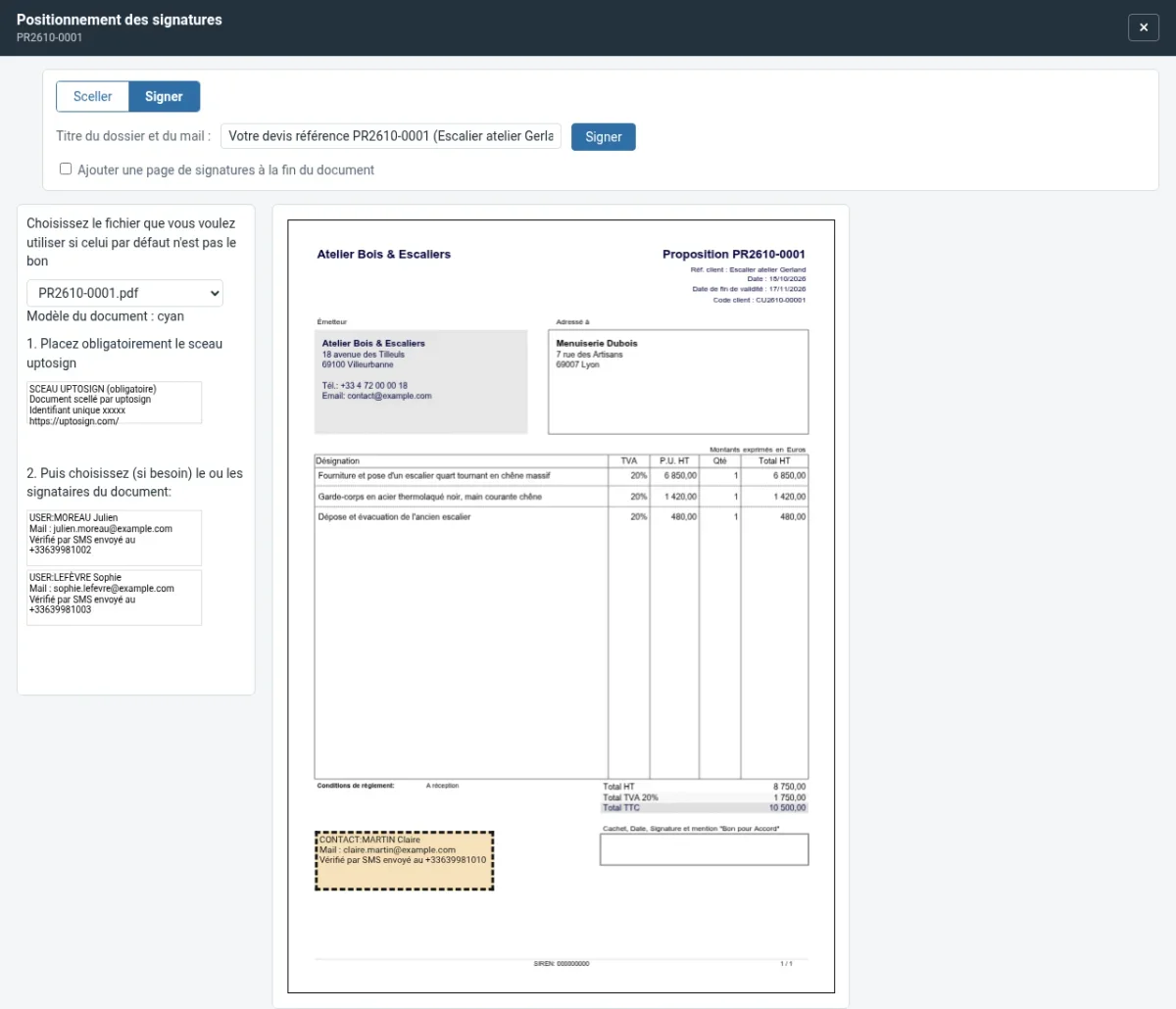
When the document is already loaded and there is no room for signatures, a checkbox adds a "Signatures" page at the end of the sent PDF, with one box per signer. The original PDF remains intact, and the option is refused for a sealed document, whose seal would otherwise become invalid.
Each sealed version preserved
A sealed invoice that was then regenerated at the time of payment lost its seal. The sealed version is now kept in the attached files before being replaced, and the new PDF can be sealed in turn: you keep each version sent to your customer.
Multiple PDFs for the same document
Once one of the PDFs is signed or sealed, the buttons remain available for the others, and the positioning window lists only the files still to be processed.
A safer positioning window
The "Seal" or "Sign" choice is now at the top of the window, before the title. Changing mode or file no longer causes the entered title or the seal position to be lost.
Also
- Reminding a bulk "Seal batch" action no longer seals twice, nor bills twice, a document already being sealed;
- A bulk signature envelope with more than 30 recipients is refused on sending, even from a page left open;
- The setup of document templates requires the session security token: a trapped link can no longer modify it;
- Local signing warns when it cannot open (multiple signers);
- UptoSign events in the calendar regain their pictogram.
Update
Replace the module folder, then deactivate and reactivate it from the module list: it is the reactivation that enables the preservation of sealed versions. The details of the changes are on the page New features in version 2.5.1.
Prerequisites
Dolibarr 18 or higher, PHP 7.4 or higher.
Alte limbi: Deutsch, Español, Français, Italiano, Nederlands, Polski, Português