Capmail 2.0.1: Lead Mode, multi-mailbox and tags
Version 2.0 is a rework of the module. It introduces a new processing interface, support for several mailboxes, a tag system replacing IMAP folder navigation, and the handling of incoming requests.
Lead Mode becomes the default view
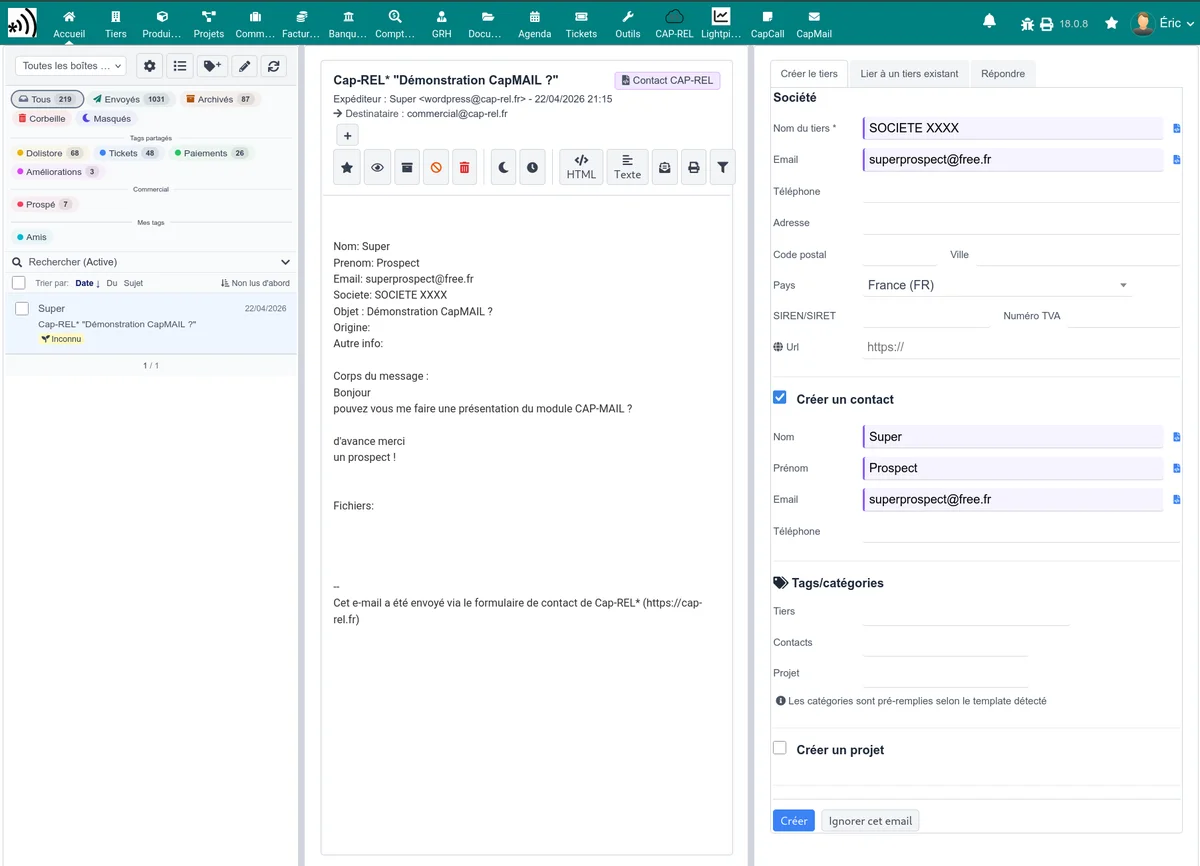
Lead Mode replaces the classic list as the main interface. It is a three-column, resizable view.
- Left column: the mail list, with infinite scrolling, badges and indicators - unread, star, tags, conversation thread.
- Centre column: the preview of the selected message, quick actions and automatically extracted data.
- Right column: processing actions - create or link a thirdparty, reply, check the agenda.
The classic list view remains available for advanced searches. Keyboard shortcuts and browser notifications on new mail come along with it.
Several mailboxes
The module now handles several IMAP mailboxes, each with its own credentials and identifying colour, and a per-user, per-mailbox rights matrix. Each user may also connect a personal mailbox.
SMTP configuration becomes specific to each mailbox, with its own sending address and a fallback on the global Dolibarr configuration. A mailbox picker appears in the standard sending forms - proposals, orders, invoices - restricted by each user's sending rights.
Tags replace folders
IMAP folder navigation gives way to a tag system. Server folders are automatically mapped to tags, and a drag and drop is enough to file a message.
Flag synchronisation works both ways: read and unread follow
\Seen, the star follows \Flagged, and the first four user flags
follow the $Label1 to $Label4 keywords, compatible with
Thunderbird. Flags 5 to 8 stay local.
Handling incoming requests
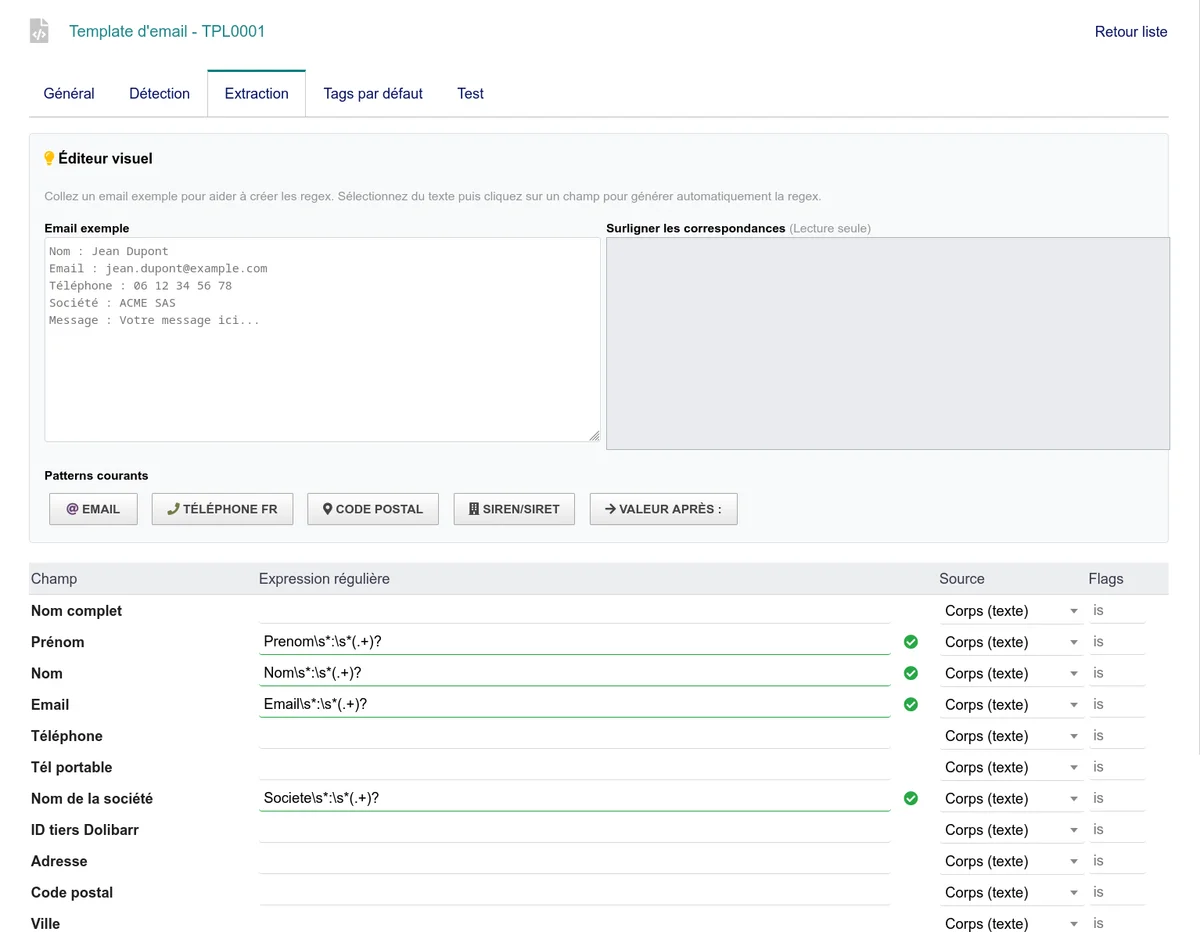
Detection and extraction templates recognise messages produced by a website form - Contact Form 7, Wix, or a custom form - and pull out the useful fields. A duplicate detector flags requests already handled.
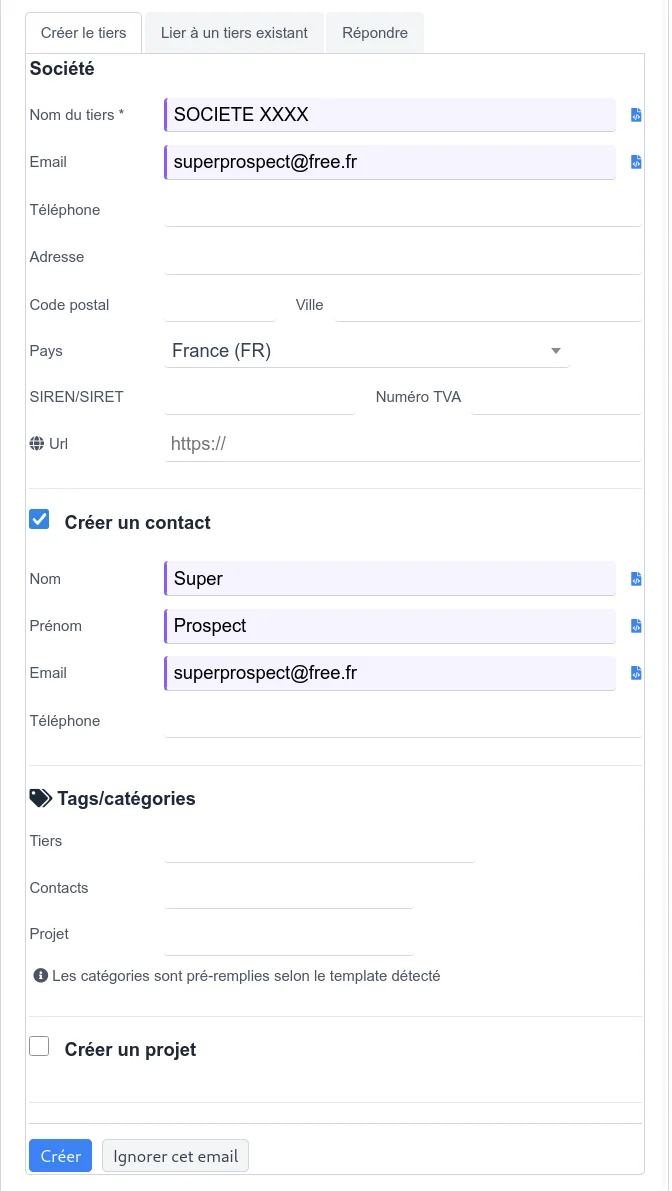
From a message, creating a thirdparty, a contact or a project takes one step, with the extracted data already filled in.
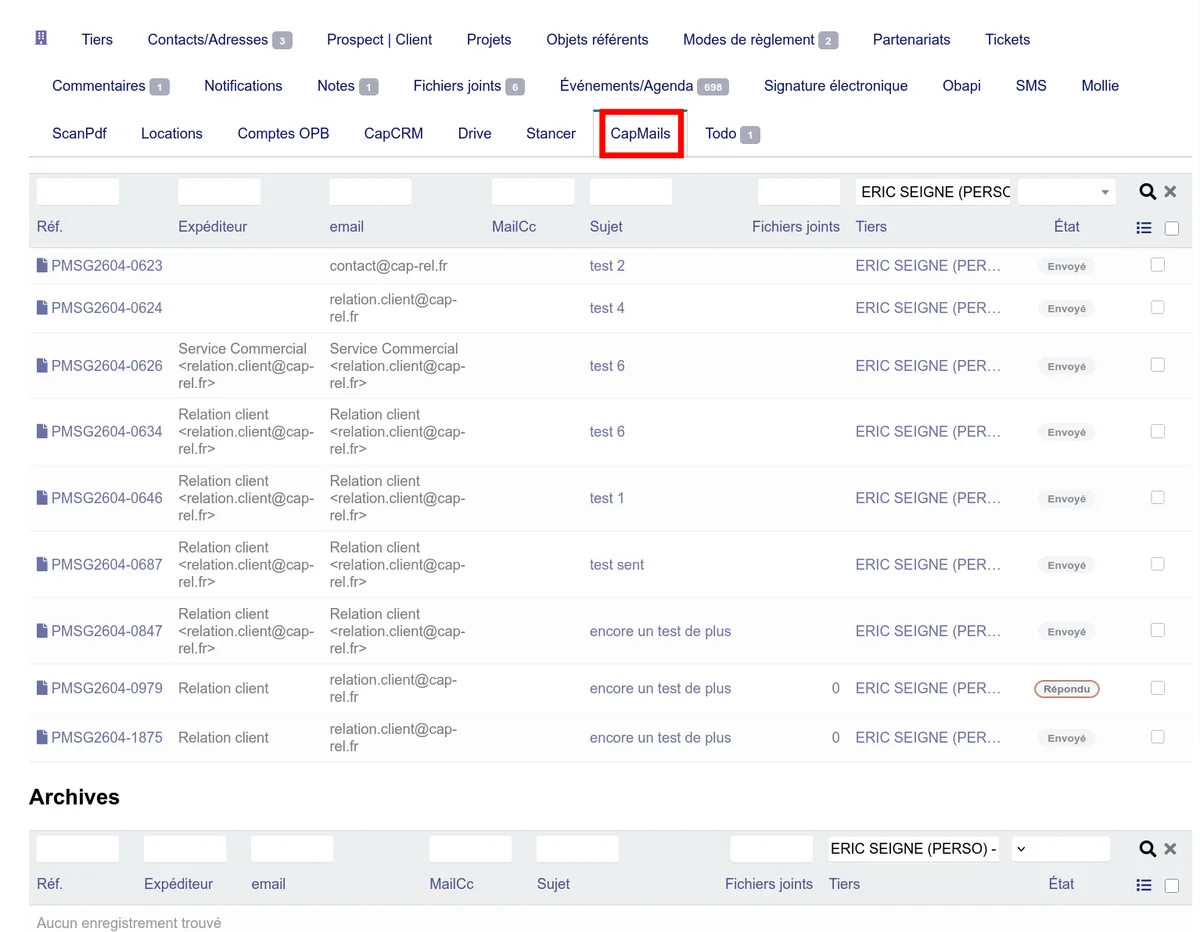
A Capmail tab on the thirdparty record shows the full history of exchanges, and an Actions tab shows the upcoming agenda events of the linked thirdparty.
Other changes
- Conversation threads rebuilt from the
In-Reply-ToandReferencesheaders. - Snoozing a message until a chosen date, with automatic reappearance.
- Secure HTML rendering: sandboxed iframe, strict content security policy, no referrer sent.
- Thirdparty link propagation across related messages.
- Administration reorganised into four thematic tabs, with a first-mailbox walkthrough when none is configured, and one-shot maintenance tools.
- TinyMCE is supported alongside CKEditor, and a dedicated editor is available for bulk sending.