CapCRM 1.2.10: follow-ups without duplicates, reliable scheduled tasks, and a real SME demonstration
CapCRM in a nutshell
In Dolibarr, knowing a customer requires opening around ten tabs: the third-party card, contacts, commercial proposals, orders, invoices, the calendar, tickets... CapCRM brings all this together on a single summary page, organised into blocks that each user can activate, hide, and reorder by drag-and-drop.
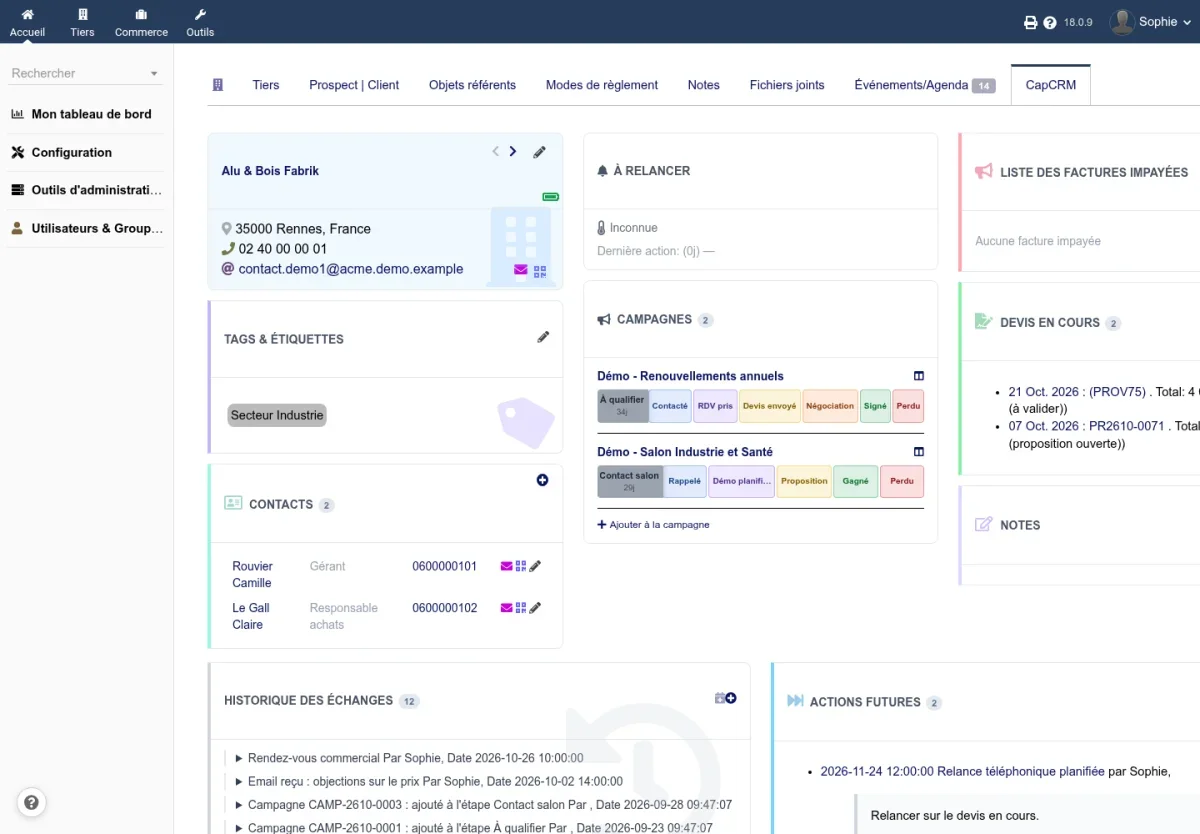
At a glance, the salesperson sees pending commercial proposals, unpaid invoices, year-on-year revenue trends, recent exchanges, and upcoming actions. They can call a contact with one click, write to them without leaving the page, add a note, or schedule a follow-up.
What version 1.2.10 fixes
Only one follow-up per stalled prospect
When a prospect remains too long in a campaign stage, CapCRM creates a follow-up in the salesperson's agenda. Until now, this follow-up was recreated each time the scheduled task ran: the agenda filled with duplicates, one per day. CapCRM now finds the already created follow-up and no longer adds another as long as it is recent.
Scheduled tasks no longer fail
CapCRM's scheduled tasks (archiving prospects, follow-ups, alerts, score tracking) appeared as failed in Dolibarr's scheduled jobs list each time they had actually run. They now end successfully, with a sentence summarizing what was done or stating there was nothing to do.
One click, one action
Sending a notice from the "About" page and importing a list of prospects into a campaign are slow actions: a double-click would launch them twice. The button now disables itself on the first click.
Other fixes
- A link to the module without a specific third party now opens the sales dashboard instead of an error page.
- On Dolibarr 18, the labels "Previous Year", "Person", and "Email" now display translated instead of their code.
- The list of Dolibarr modules now shows a proper description of CapCRM.
A richer and safer demonstration
The demonstration data generator has been revised:
- It builds an SME with around fifty employees: a sales team of six, sixty third parties and their contacts, months of exchanges, commercial proposals, orders, invoices, campaigns, and follow-up rules, dated around the generation day;
- It can be relaunched as many times as desired: what a previous run created is reused instead of causing errors, and the log states what was created or reused;
- The demonstration accounts are named
capcrm.sales,capcrm.manager, etc., and old accounts are automatically renamed; - A real account with the same identifier as a demonstration account is never reused or deleted;
- On a production installation, generation and cleanup are refused until the administrator explicitly authorizes them.
For prospecting, not just consulting
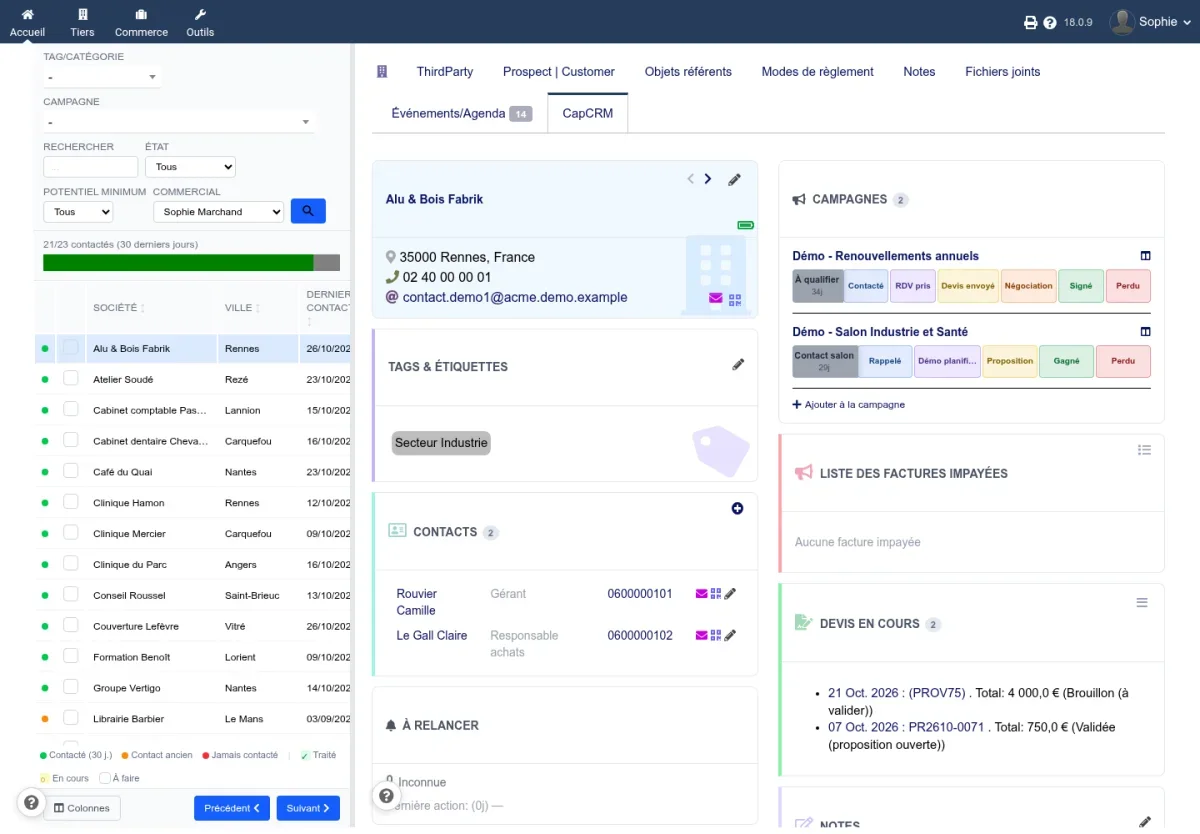
CapCRM is not limited to the customer card. The prospect view displays the list of third parties on the left and their full card on the right: filter by category, campaign, potential, or salesperson, then move from one prospect to the next without reloading the page.
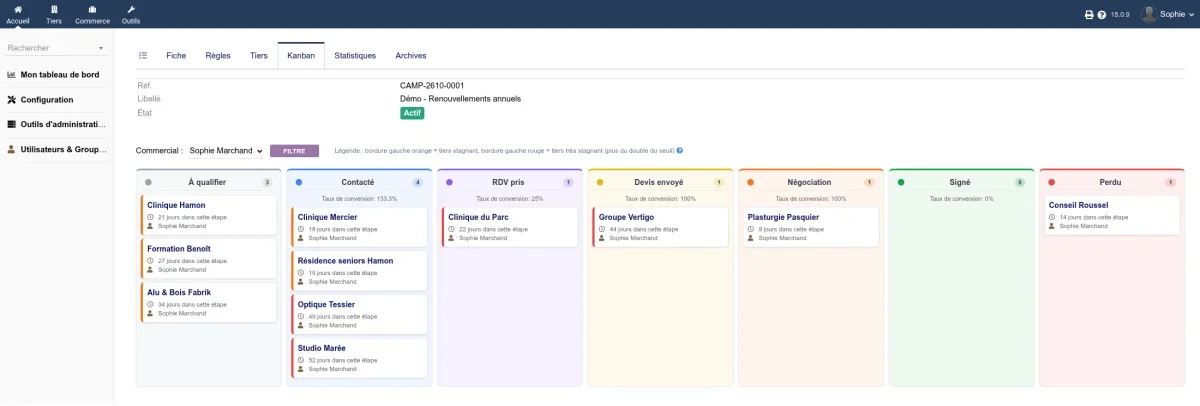
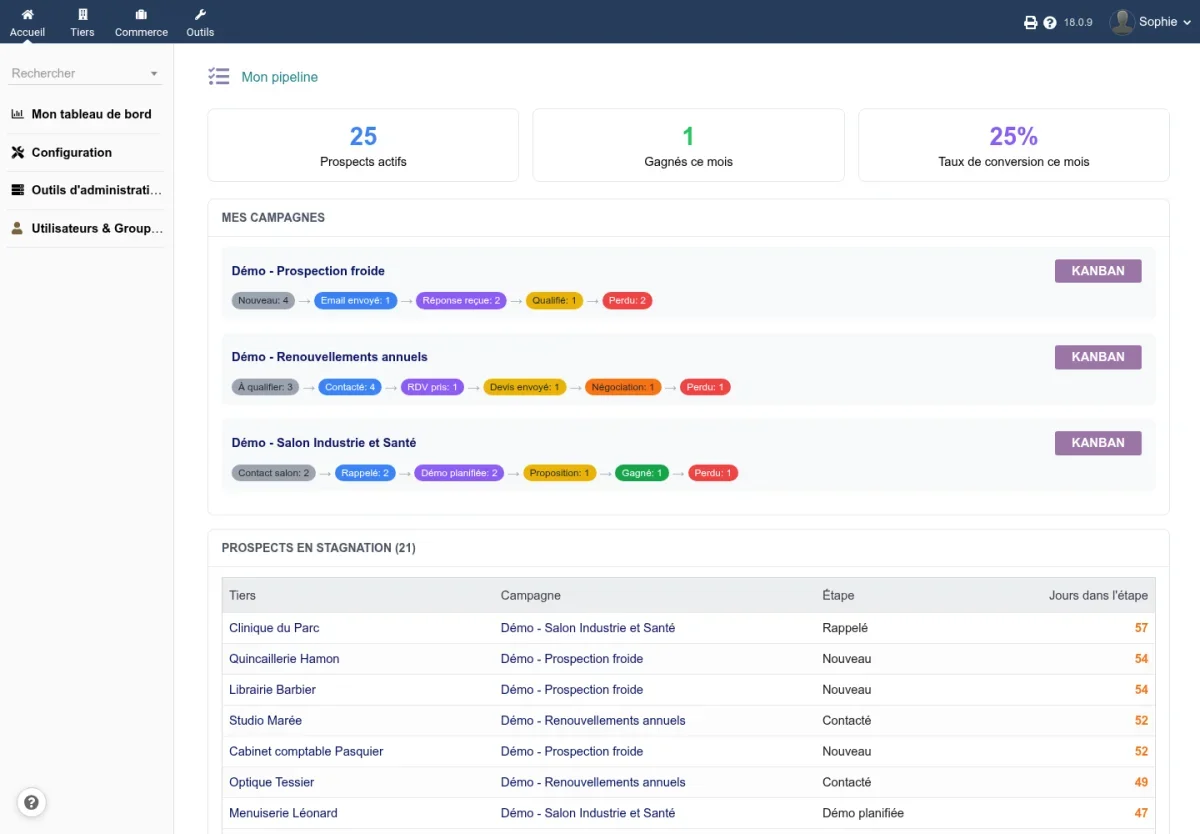
Prospecting campaigns track each prospect on a kanban with customisable stages. Prospects that stagnate too long in a stage are highlighted with an orange border, then red, and rules can automatically move a prospect forward when their status changes in Dolibarr.
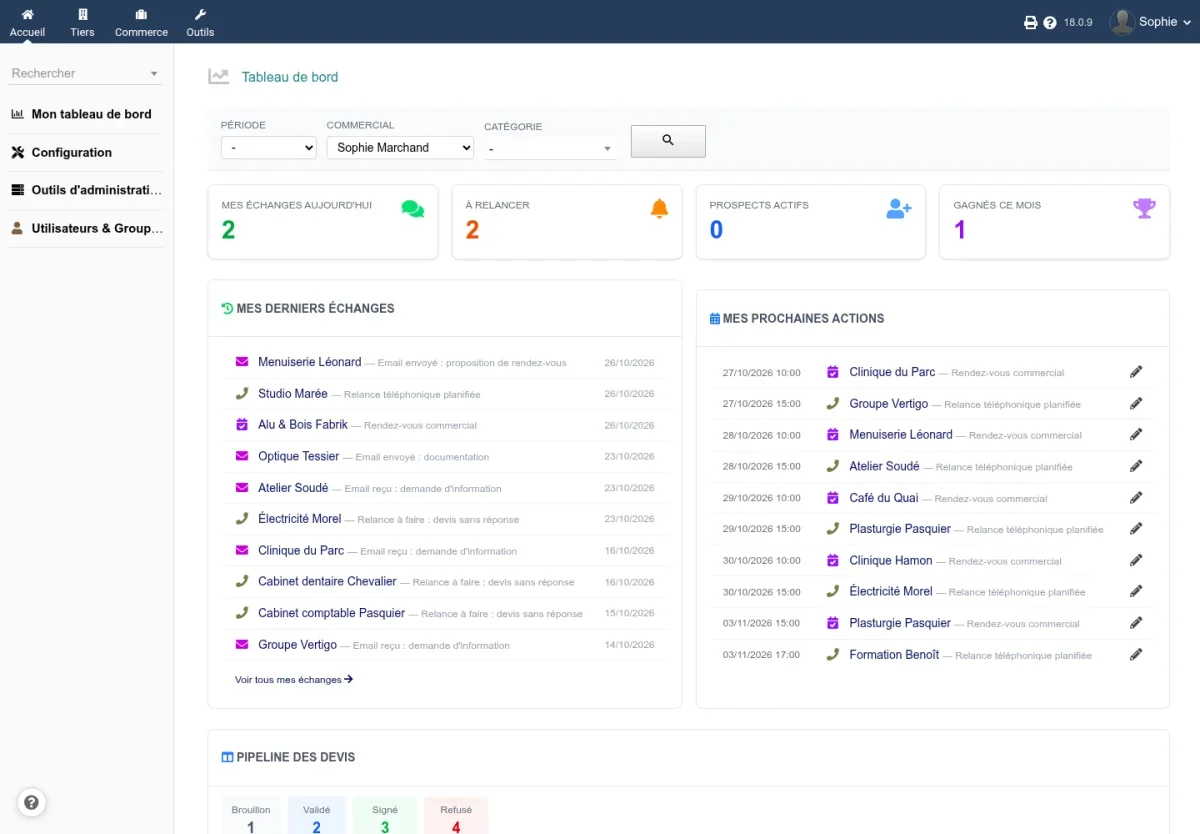
Each salesperson also finds their personal pipeline: their active prospects, their monthly wins, their conversion rate, their hottest prospects, and those that need a follow-up.
Updating
Replace the module’s files with those from the new archive, then deactivate and reactivate CapCRM in the module setup to register the new version. Your settings, campaigns, and each user’s block layout are preserved.
Try it
Try CapCRM on a Dolibarr installed in under 20 seconds, with a pre-filled demonstration environment and its guided tour: dolitry.fr/capcrm
Άλλες γλώσσες: Deutsch, Español, Français, Italiano, Nederlands, Polski, Português