CapCRM 1.2.8: customer card fixed and compatible with Dolibarr 24’s enhanced security
CapCRM in a nutshell
In Dolibarr, knowing a customer requires opening around ten tabs: the third-party card, contacts, commercial proposals, orders, invoices, the calendar, tickets... CapCRM brings all this together on a single summary page, organised into blocks that each user can activate, hide, and reorder by drag-and-drop.
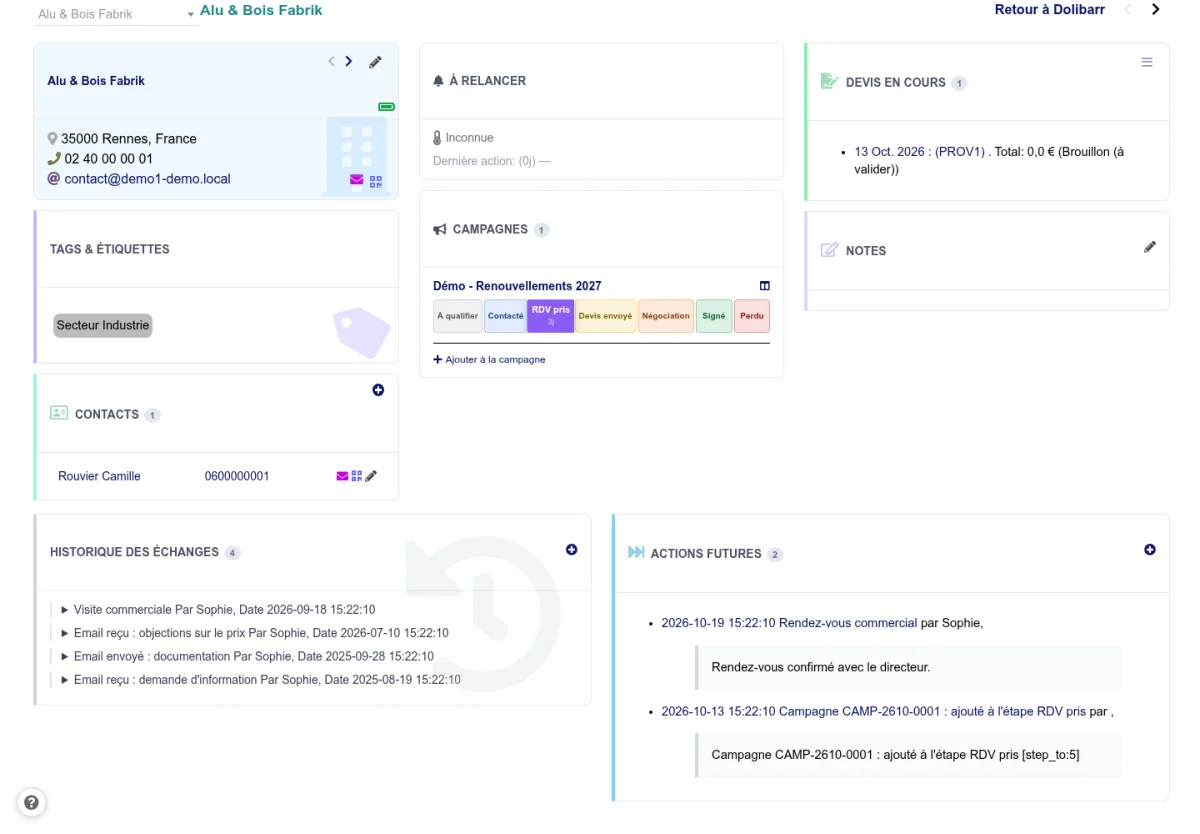
At a glance, the salesperson sees pending commercial proposals, unpaid invoices, year-on-year revenue trends, recent exchanges, and upcoming actions. They can call a contact with one click, write to them without leaving the page, add a note, or schedule a follow-up.
What version 1.2.8 fixes
The popups on the customer card open again
From a third party’s CapCRM card, several windows no longer opened correctly: editing the third party’s labels, writing to a contact, calling them, or logging an exchange. They now work again, and the event addition buttons in the "Exchange history" and "Future actions" blocks are back.
Compatible with Dolibarr 24’s enhanced CSRF protection
Dolibarr 24 enables the strictest level of its protection against forged requests by default: every link that triggers an action must carry a security token. On an installation at this level, the "Rules", "Third parties", and "Archives" tabs of campaigns, the list of unpaid invoices, the private note opened from the card, and the third-party search displayed an error page. All these links now carry their token: CapCRM works regardless of the security level chosen, from Dolibarr 18 to 24.
For prospecting, not just consulting
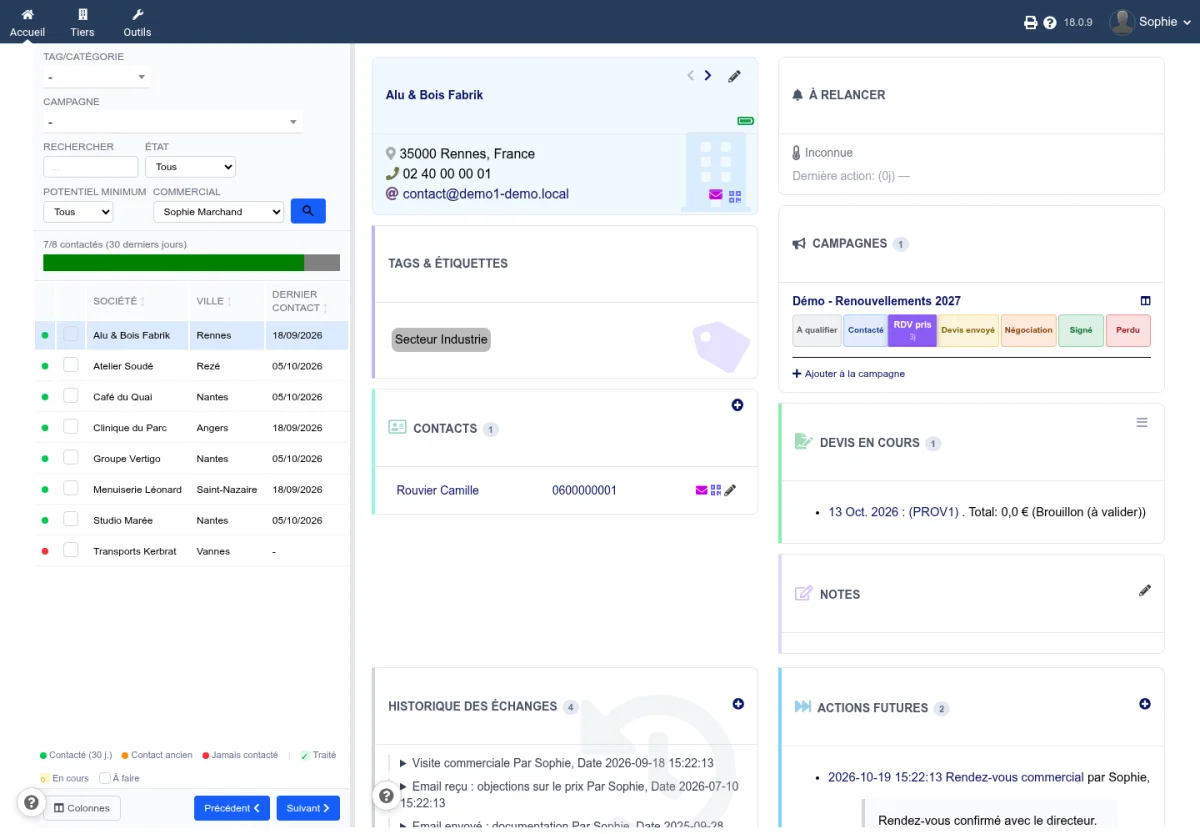
CapCRM is not limited to the customer card. The prospect view displays the list of third parties on the left and their full card on the right: filter by category, campaign, potential, or salesperson, then move from one prospect to the next without reloading the page.
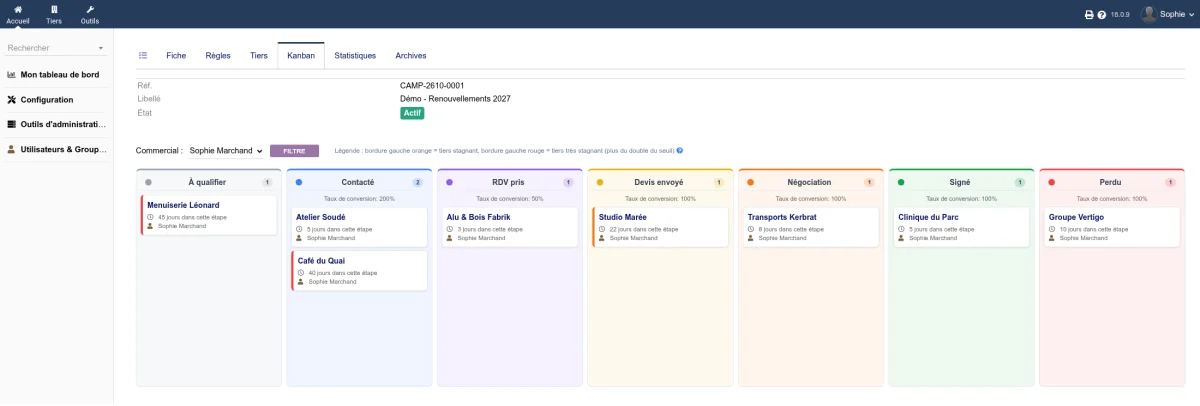
Prospecting campaigns track each prospect on a kanban with customisable stages. Prospects that stagnate too long in a stage are highlighted with an orange border, then red, and rules can automatically move a prospect forward when their status changes in Dolibarr.
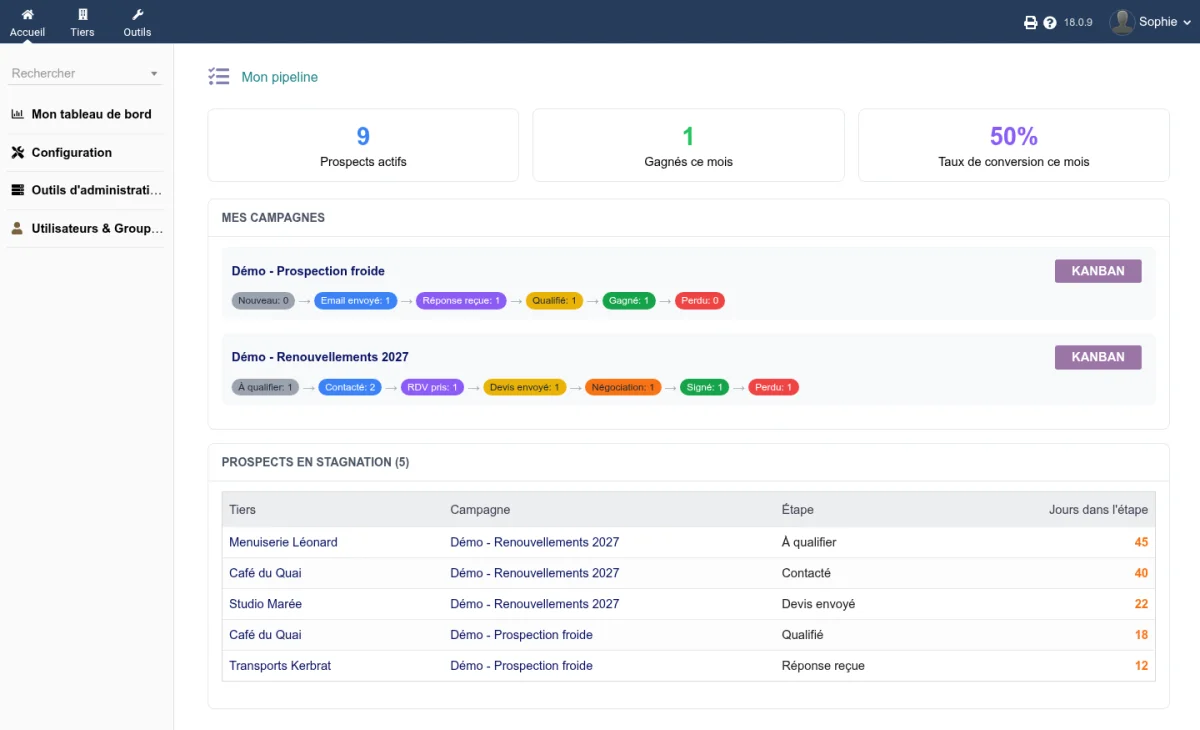
Each salesperson also finds their personal pipeline: their active prospects, their monthly wins, their conversion rate, their hottest prospects, and those that need a follow-up.
Updating
Replace the module’s files with those from the new archive, then deactivate and reactivate CapCRM in the module setup to register the new version. Your settings, campaigns, and each user’s block layout are preserved.
Try it
Try CapCRM on a Dolibarr instance set up in under 20 seconds, with a pre-filled demonstration environment: dolitest.fr/capcrm
Άλλες γλώσσες: Deutsch, Español, Français, Italiano, Nederlands, Polski, Português