CapCRM 1.2.6: your entire Dolibarr customer on a single page, now in eight languages
CapCRM in a nutshell
In Dolibarr, knowing a customer requires opening around ten tabs: the third-party card, contacts, commercial proposals, orders, invoices, the calendar, tickets... CapCRM brings all this together on a single summary page, organised into blocks that each user can activate, hide, and reorder by drag-and-drop.
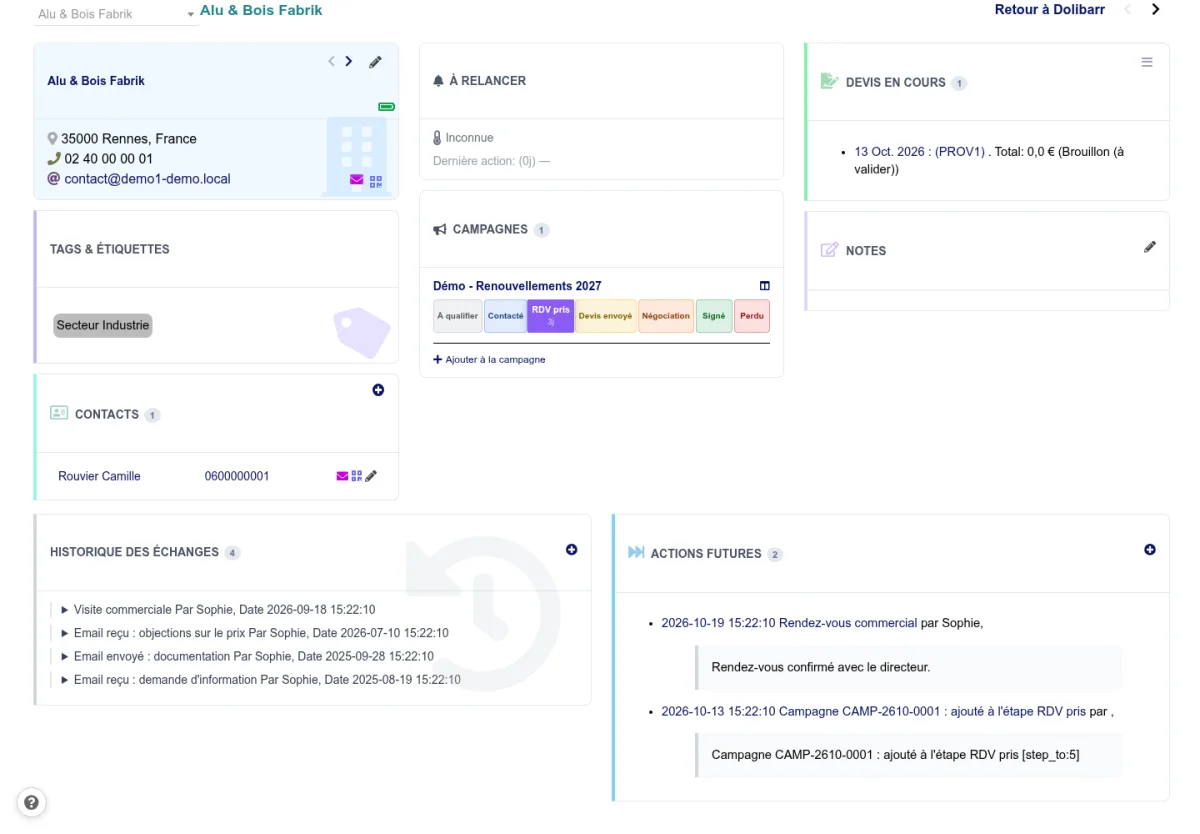
At a glance, the salesperson sees pending commercial proposals, unpaid invoices, year-on-year revenue trends, recent exchanges, and upcoming actions. They can call a contact with one click, write to them without leaving the page, add a note, or schedule a follow-up.
What version 1.2.6 brings
Two new languages, and no more missing text
CapCRM now speaks Dutch (nl_NL) and Brazilian Portuguese (pt_BR), in addition to French, English, German, Spanish, Italian, and Polish.
Above all, all eight languages are now complete: every label in the module exists in each of them. A team working in German or Polish no longer encounters a button left in English or a technical code displayed instead of text.
A module that alerts you when an update is available
Each time it is activated, CapCRM compares its version with the latest release and displays a banner to the administrator if an update is available. No more modules silently ageing on a server.
The installed version is also stored in the database, allowing the module to automatically correct existing installations. Version 1.2.6 takes advantage of this to remove duplicate follow-up rules that previous versions recreated on each reactivation. Only copies strictly identical to the original rules are removed: a rule you have modified is kept.
Pages that no longer overflow into the rest of Dolibarr
CapCRM’s stylesheet is now confined to its own pages. Regardless of the theme chosen, it no longer distorts Dolibarr’s menus or the display of another module on the same page.
Enhanced multi-entity and security
- Lists, the kanban, and email recipient selectors are filtered by the current entity: a company in the group no longer sees third parties, campaigns, or products from another.
- Parameters received by background calls are checked against a whitelist, and searches neutralise wildcard characters.
- If a module table is missing from the database, activation stops with a clear message instead of leaving a partially installed module.
Dolibarr 18 to 24
The base moves to Dolibarr 18 LTS. CapCRM is automatically analysed on each version of Dolibarr 18 to 24 and on PHP 7.4 to 8.2, and a new test suite in a real browser checks its main pages after every change.
For prospecting, not just consulting
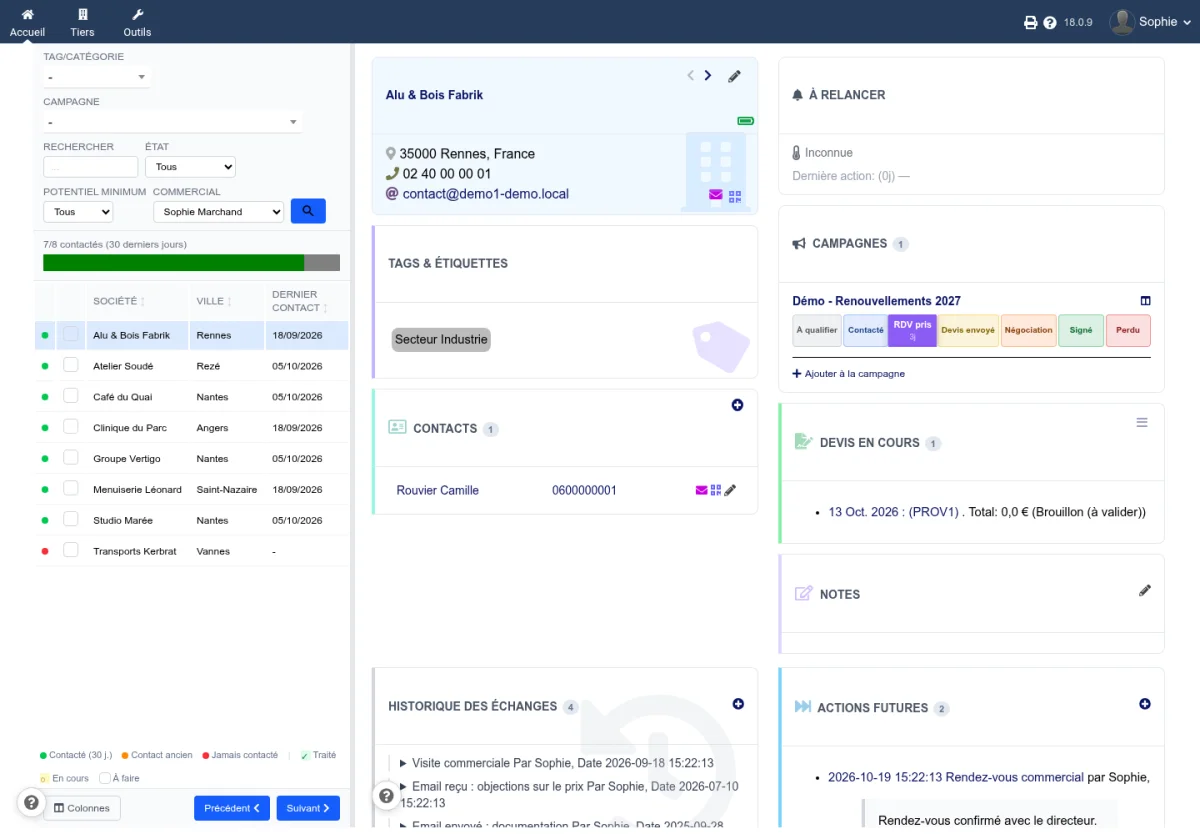
CapCRM is not limited to the customer card. The prospect view displays the list of third parties on the left and their full card on the right: filter by category, campaign, potential, or salesperson, then move from one prospect to the next without reloading the page.
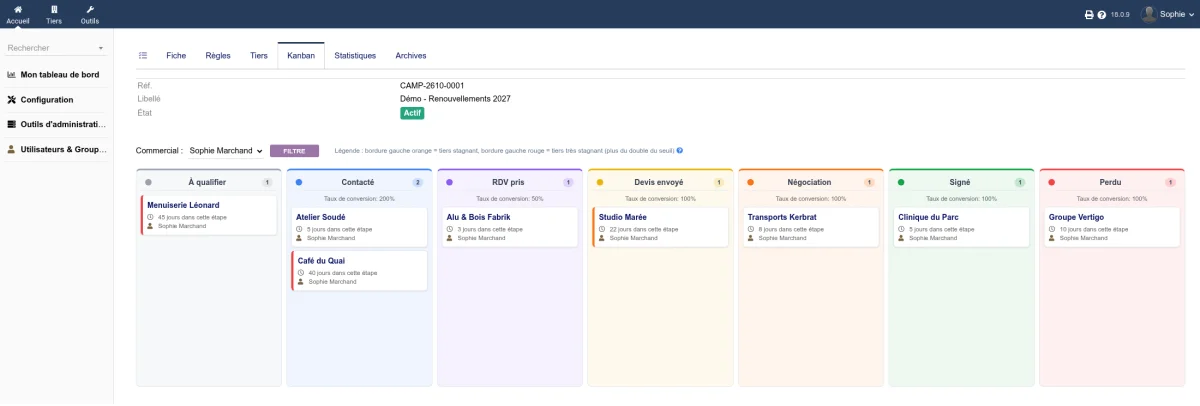
Prospecting campaigns track each prospect on a kanban with customisable stages. Prospects that stagnate too long in a stage are highlighted with an orange border, then red, and rules can automatically move a prospect forward when their status changes in Dolibarr.
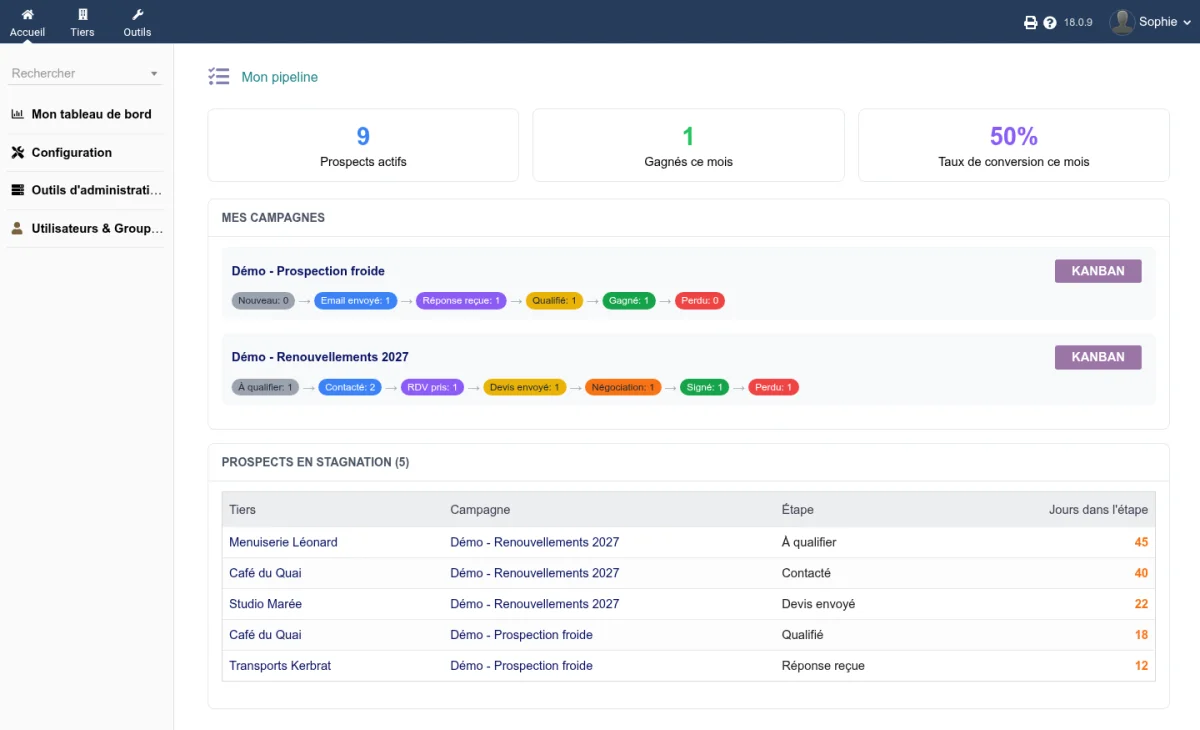
Each salesperson also finds their personal pipeline: their active prospects, their monthly wins, their conversion rate, their hottest prospects, and those that need a follow-up.
Updating
Replace the module files with those from the new archive, then deactivate and reactivate CapCRM in the module setup. It is the reactivation that cleans up duplicate follow-up rules and records the new version. Your settings, campaigns, and each user’s block layout are preserved.
Try it
Try CapCRM on a Dolibarr instance set up in under 20 seconds, with a pre-filled demonstration environment: dolitest.fr/capcrm